Help articles and your own help page
Write the answer once. Customers find it themselves, and your team drops the same article into a reply instead of typing it again. This is the part usually called a knowledge base.
Writing and keeping articles
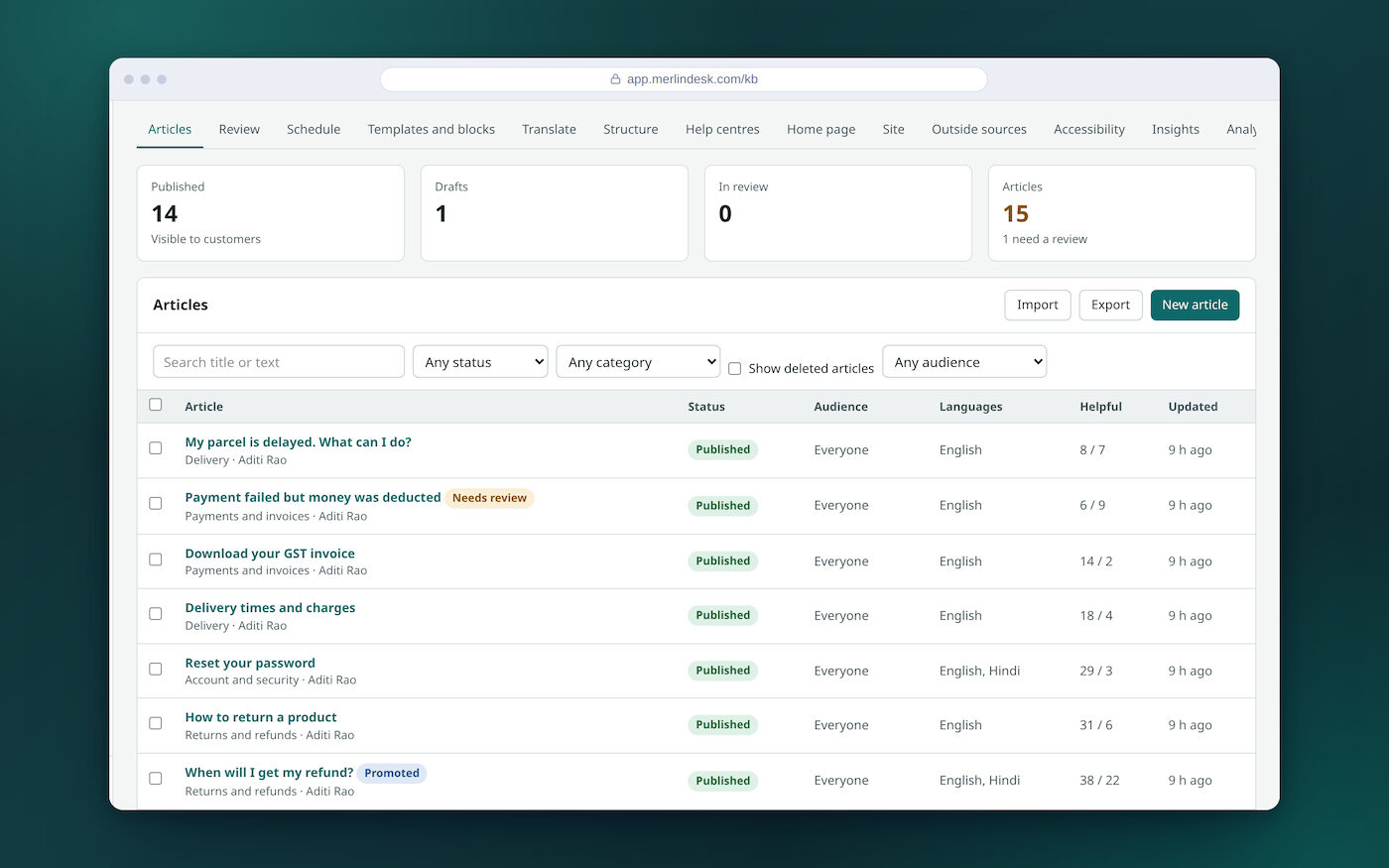
A normal editor, a draft you can come back to, and a record of every change you made.
- Write it like a documentBold, italic, headings, lists, quotes, code and links
- Save a draft and come backIt saves as you type
- See it as the customer willPreview the article before it is published
- A note on every saveSay what you changed. It shows in the version list
- Go back to an earlier versionNothing you wrote is lost
- Blocks you use again and againWrite a paragraph once, use it in many articles, and see how many use it
- Short variablesYour phone number or your price, kept in one place
- A bin that keeps things 30 daysA deleted article comes back as a draft
- Change a hundred at oncePublish, set to draft, make internal, move topic or delete. Ten or more asks you to type a confirmation
- Say who each article is forEveryone, signed-in customers, or your own team only
- Counts at the topHow many are published, draft, waiting for review and due a check
- Take a copy whenever you wantExport every article as one file
Topics, and the way the home page is arranged
You decide what the help page holds and the order it appears in. There is a live preview while you move things around.
- Topics and sub-topicsUp to three levels deep, or keep it to one
- Put them in your own orderTopics, sections, and the tiles on the home page
- Arrange the home pageHeading, sub-heading, the articles you want first, then the topic tiles
- Colour, layout and fontThree layouts to pick from
- Menu links at the top and bottomSet per language
- Change the wording of the page itselfButtons and labels, in each language
- A banner across the topFor a notice, an outage or an offer
- A topic only signed-in customers seeOr a whole help page only they can open
- A separate help page per brandEach with its own languages and its own look
- Easier to readSkip link, text-size buttons, high contrast and reduced motion
- An accessibility pageWith the date it was last checked and a report to download
Two languages, side by side
Write the article in English and in Hindi. The two stay joined to each other, so the reader gets the one they asked for.
- Translate side by sideThe original on the left, your translation on the right
- Readers switch languageEach language has its own web address for the article
- Topic names translated tooName and description, per language
- When a translation is missingShow the main language instead, or hide the article
- Language tags for search enginesAdded once a help page has two or more languages
Checked before it goes out, and checked again later
Nothing has to go live the moment it is written.
- Someone has to approve itSwitch it on, and the author cannot approve their own article
- A queue for the reviewerApprove it, or send it back with a note saying why
- Approve from inside the articlePublish or send back without leaving the editor
- Publish it laterPick the date and time. Change the time, or publish now
- A list of what is waiting to go liveSo nothing is forgotten
- Check this one again on a dateSet it per article, or a default gap for all of them
- A list of articles past their check dateRead it and mark it still correct in one click
- A reminder to the article's ownerEmail when the check date passes. Needs your own mail account connected
What customers searched for, and what they rated
The help page tells you what to write next. You do not have to guess.
- Useful, or not usefulA vote under every article, and a box to say what was wrong
- The ones rated not usefulA list of the articles to rewrite first
- Searches that found nothingEvery one of them, with a button that starts that article for you
- A missing-article reportBuilt from recent searches. Refresh it, or hide a line you do not want
- A first draft from a gapPut together from the search results and your closest existing articles. No AI writes it
- Views, searches and helpful rateOver 7, 30 or 90 days, with your most read articles
- Make one word find anotherAdd synonyms, so a search for "bill" also finds "invoice"
- Pin an article to the topFor a phrase you know people type
- Spelling tolerance and type-aheadSwitch each one on or off
The same articles, inside a request
Articles are not only for the help page. They do the work in two more places.
- Suggested to the customerWhile they fill in the request form, before they send it
- Suggested to your teamOn the open request, beside the reply box
- Dropped into a replySearch your articles from the agent screen and put one in the answer
- Suggested in the search boxArticles appear as the reader types
Bring the articles you already have
If your answers live in another help desk, export them and bring the file. We read the export file. There is no live connection to those products.
- ZendeskFrom a Zendesk export zip
- FreshdeskFrom a Freshdesk CSV file
- Help ScoutFrom a Help Scout zip
- A spreadsheet or a folder of pagesA CSV file, or a zip of HTML files
- A dry run firstA report of what will happen before a single article is written
- And back out againExport all your articles as one file, any time you like
The public help page
This is what your customers actually see. It is a proper website with its own addresses, not a pop-up on top of yours.
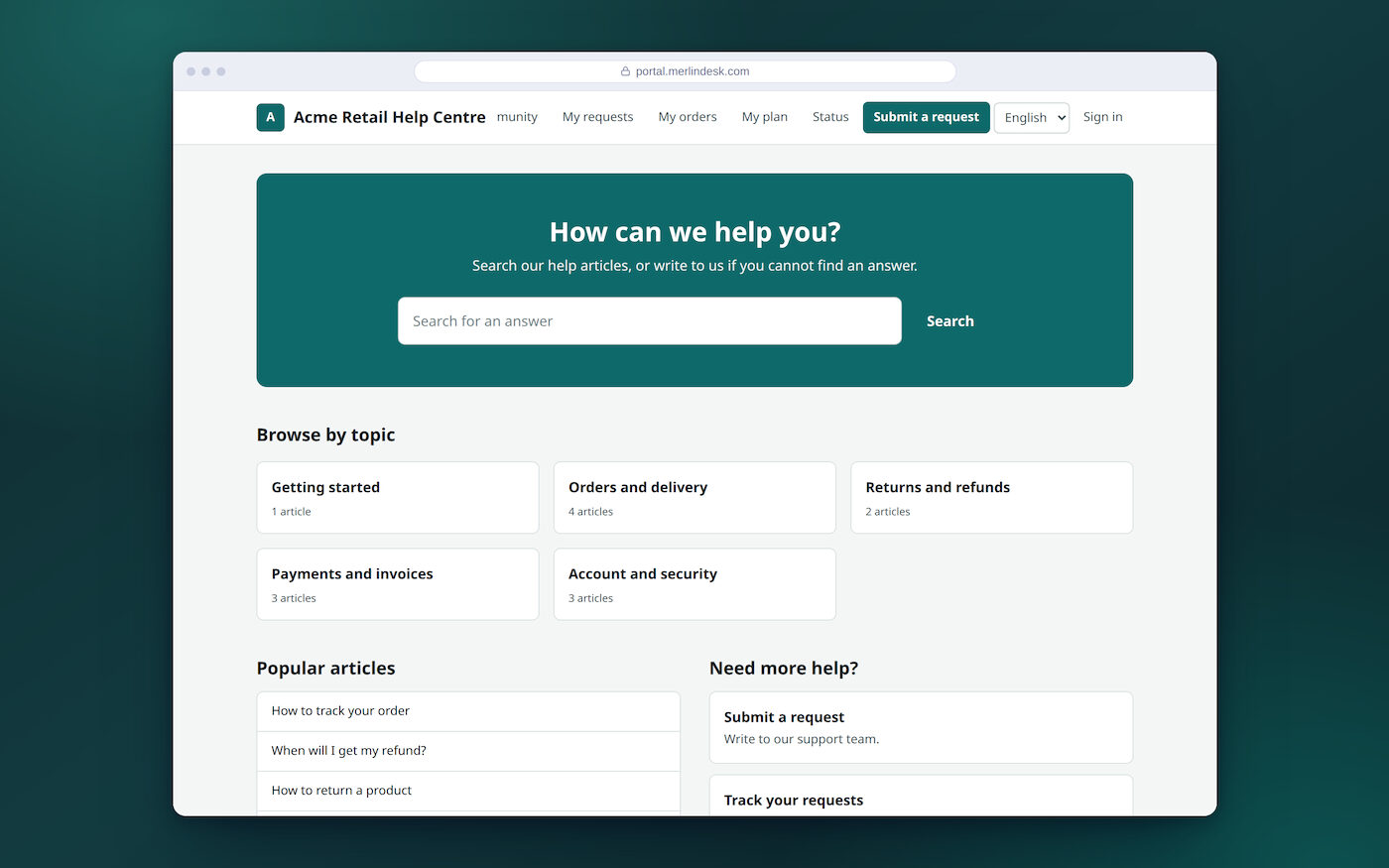
- A home page built around searchSearch box, chosen articles, topic tiles, most read and newest
- Results you can narrowFilter by topic, with a "did you mean" when the spelling is off
- An article page that helpsBreadcrumbs, related articles and the useful vote
- Search engine settings per articleAddress ending, search title and description, or hide it from search
- Old addresses keep workingAdd redirects, and a changed address still finds the article
- A sitemap and a robots fileSo search engines read the help page properly
- A news feedTurn RSS on, per help page
- Cookie notice and visitor countsYour own Google Analytics ID, loaded only after the visitor agrees
You can read ours before you buy anything. The demo help page is at portal.merlindesk.com/help: five topics, articles in English and Hindi, and a useful or not-useful vote under each one. The demo workspace holds 15 articles, ten of them published for anyone to read.
Three things that need an account of your own. A client's own web address for the help page can be typed in and checked, but it does not work on this hosting yet, so your help page sits on an address we give you. The one-click translate button needs your own translation account; without one, you write the translation yourself, side by side with the original. Reading articles out of Google Drive, Confluence, SharePoint, Notion or Box needs that product's own keys, and only plain websites are read today.
Emails from the help articles part — the reminder when an article is due a check — need your own mail account connected. Nothing is emailed from our demo, so do not judge that part there.