Features
Everything MerlinDesk does, grouped the way you would look for it. Anything that needs your own provider account, or that is switched off on the demo, says so.
Each part in detail
A page for every area, with the limits spelled out.
Requests and queues
The list your team works in, saved views, saved replies, notes and the whole conversation.
Support emails become tickets, replies keep the thread, and delivery problems are explained.
Live chat
A chat box for your website. The one part you can fully put your own name on.
Phone calls
Calls logged against the customer, with notes, voicemail and call-backs.
WhatsApp and SMS
Messages from WhatsApp, SMS and social apps land in the same list.
Help articles
Write the answer once. Customers find it, your team reuses it.
Customer page
Where customers send a request and follow what happens next.
Rules and routing
Send work to the right person, chase it, and see why it went where it did.
Reply and fix times
Promise a time, pause the clock while you wait, and get warned before you are late.
Reports
Volume, reply times, promises kept, ratings and what is piling up.
IT support
Faults, on-call rotas, planned changes and your equipment list.
API and apps
About 3,800 things the API can do, signed webhooks and your own panels.
Security and privacy
Who can see what, a tamper-evident record, and deleting data on request.
A separate account per client
For agencies and IT companies running support for several businesses.
Keep track of every customer request
Each question becomes a ticket with a number. You can see who it is from, how old it is, who is working on it and what was said before.
- Lists you save and shareFilter by anything, then keep the list for the whole team
- Change many at onceClose, assign or tag a hundred requests in one go
- Join duplicate requestsBoth histories are kept
- Stops two people replyingYou are told when a workmate is already typing
- Saved repliesCommon answers in one click, with the customer's name filled in
- Notes only your team can seeAsk a colleague inside the ticket, out of the customer's view
- Your own fields and formsAsk for an order number, a model, anything you need
- Your own statuses and prioritiesName them the way your team talks
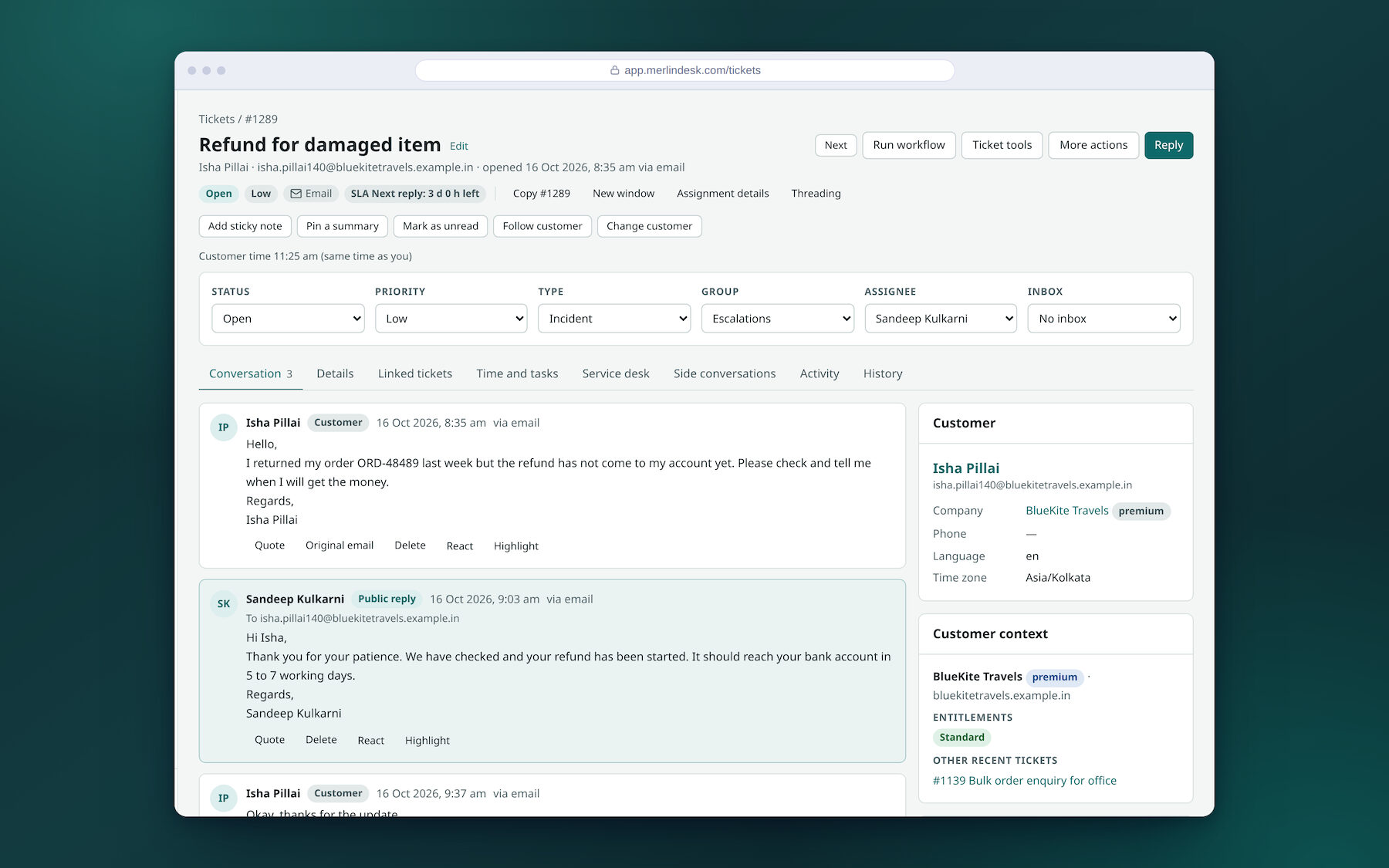
All your messages in one place
However the customer writes to you, it lands in the same list.
- EmailEmails to your support address turn into tickets, replies go back as email
- Chat on your websiteA chat box you paste into your site
- Phone callsCalls are logged against the customer, with notes and recordings
- WhatsApp and SMSSet up with your own provider account
- Web formsPut a request form on any page
- Social and chat appsFacebook, Instagram, Telegram and Slack
Answer the same question once
Write the answer once as a help article. Customers find it themselves, and your team can drop it into a reply instead of typing it again.
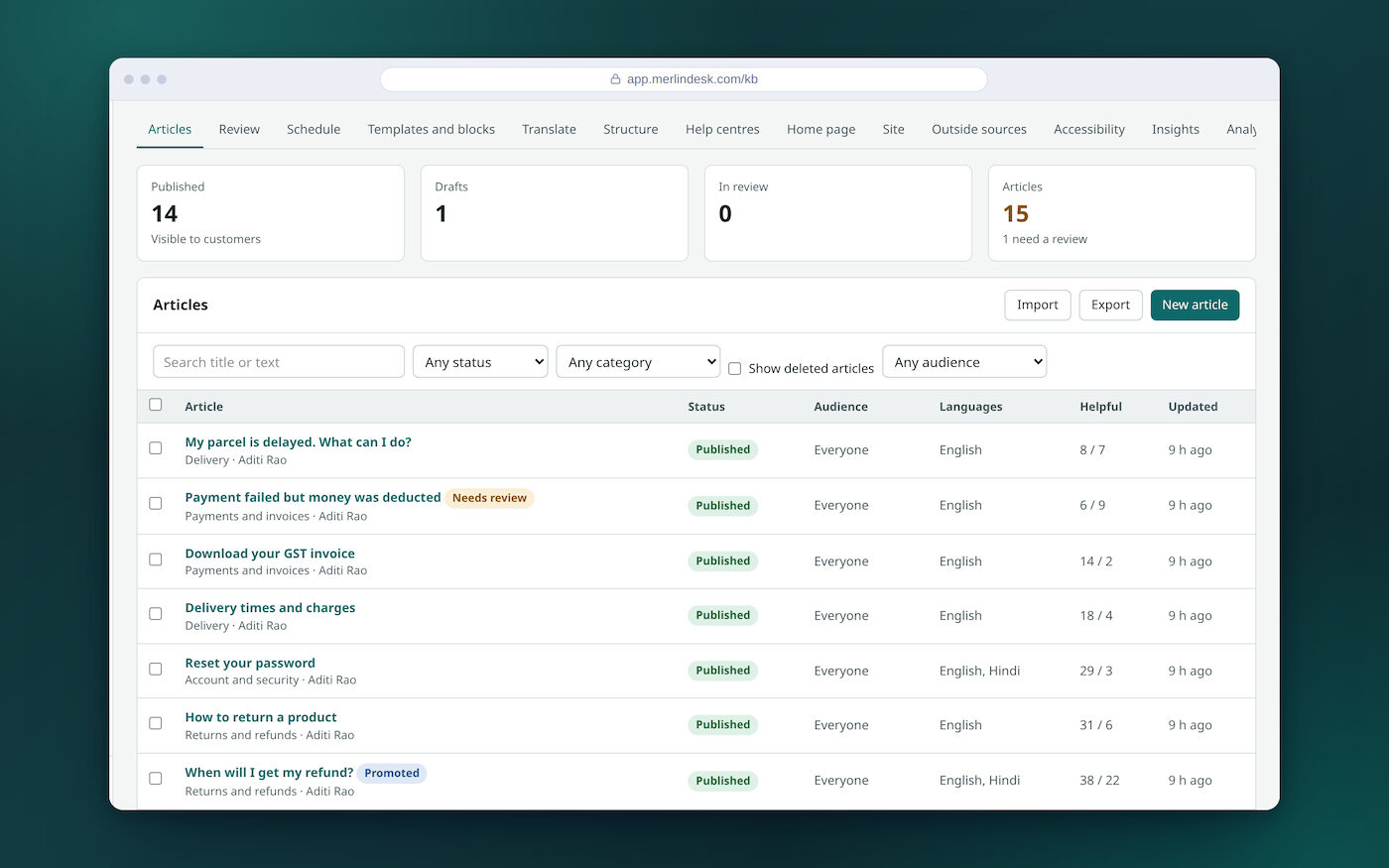
- More than one languageWrite in English and Hindi and keep them linked
- Check before it goes outAn article can wait for someone to approve it
- Useful or notCustomers vote, so you can see which answers are working
- Suggested while typingThe right article is offered as the customer writes
- Your own help siteCategories, home page and look are yours to set
A page your customers can use
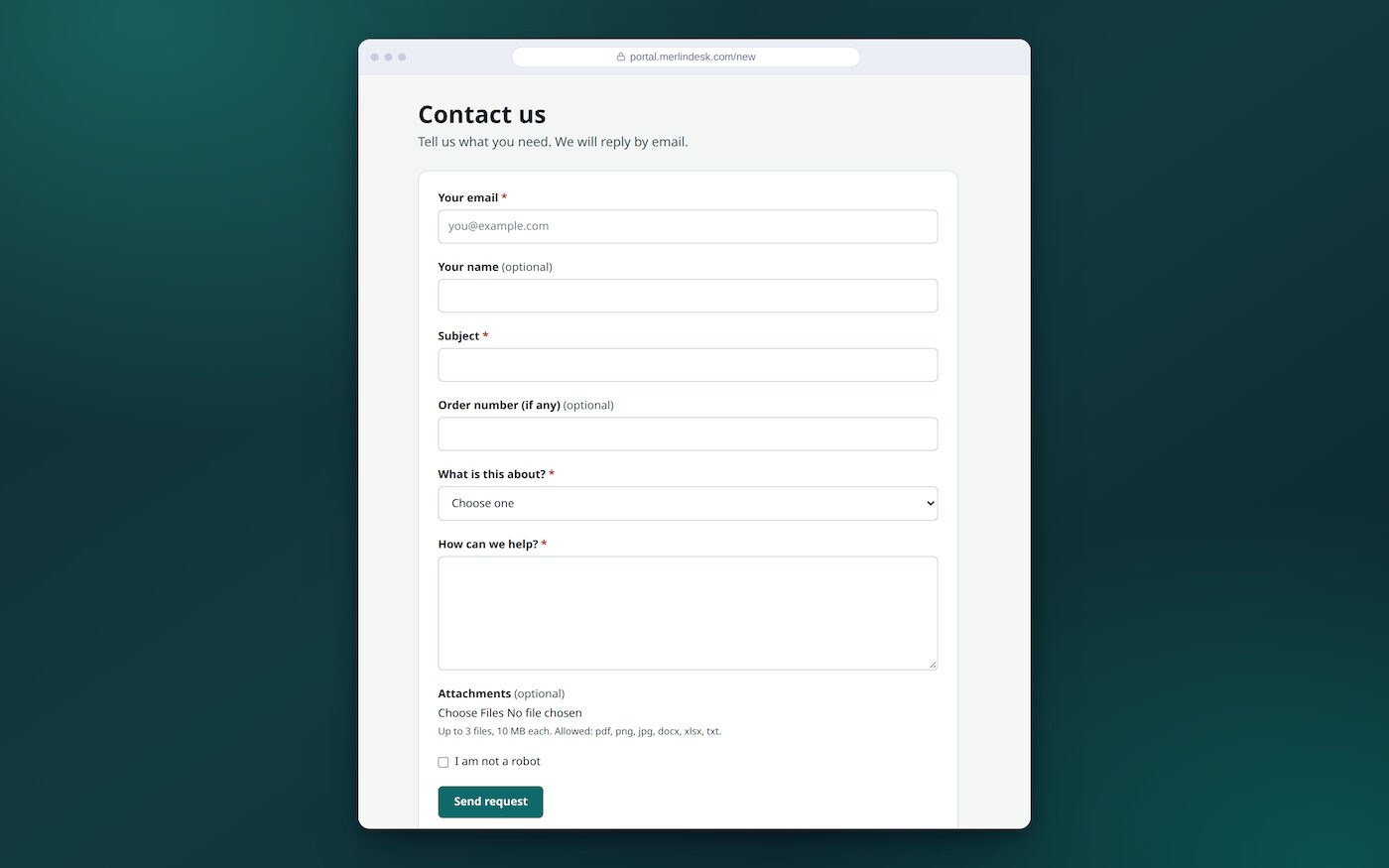
Customers do not need to learn anything. They send a request, see the replies and check where it has got to.
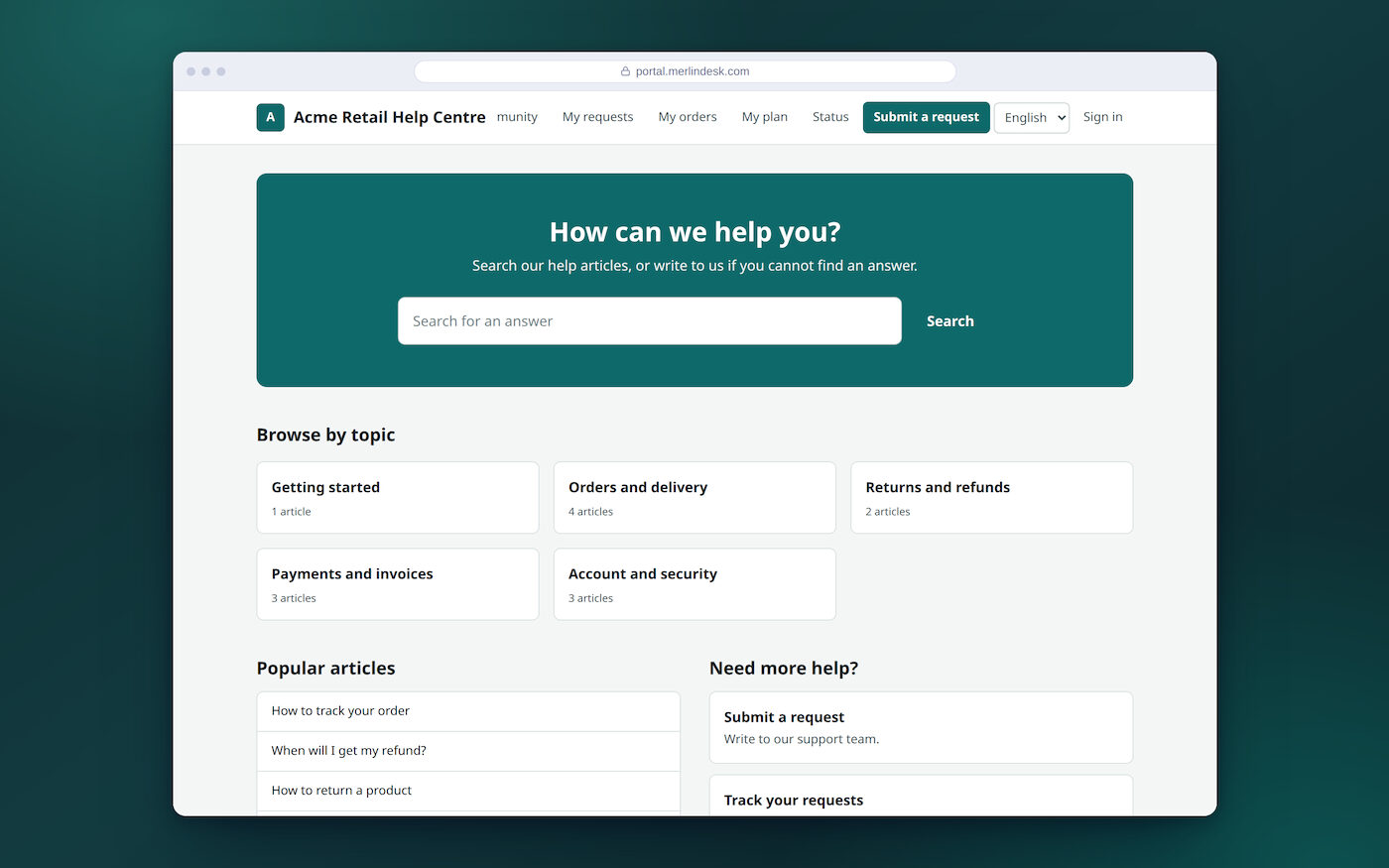
- See all their past requestsAnd reply to any of them
- No account neededYou can let people write in without signing up
- Sign in by codeA code to their email, so there is no password to forget
- Ask the communityCustomers answer each other, you mark the best answer
Let the system do the routine work
Set the rules once. The system sorts, assigns and chases without being asked.
- Send it to the right personBy subject, language, customer or who is free
- Share work evenlyNew requests go round the team in turn
- Reply and fix timesSet how fast you promise to answer, per customer if you like
- A warning before you are lateThe clock pauses while you wait on the customer
- Working hours and holidaysThe clock only runs when your office is open
- Step-by-step jobsChase, escalate, ask for a rating, close
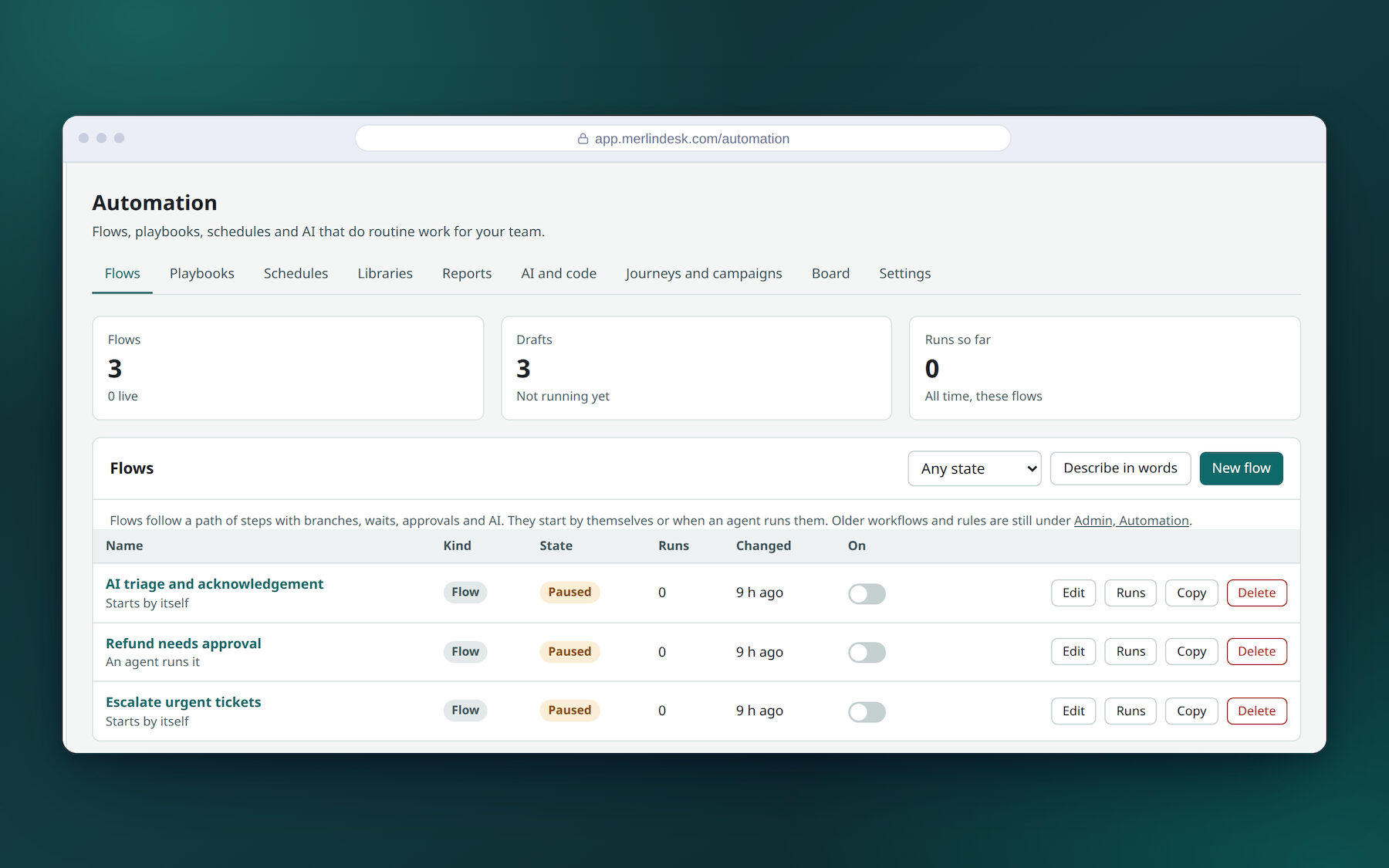
See how your team is doing
Ready-made reports, no setup. Pick the dates and the team.
- How many came in and went out
- How fast you replied the first time
- How long requests took to fix
- How often you kept your promised times
- How each team member is doing
- What customers scored you
- Which channel people use most
- What is piling up and how old it is
You can build your own report, save it as a dashboard, have it emailed every week, or download it as a spreadsheet.
For IT teams as well
The same system also runs an internal IT desk, so you do not buy a second tool.
- Faults and outagesWith how serious it is and a timeline of what happened
- Who is on dutyRotas, and who to wake up next if nobody answers
- Planned changesWith a sign-off before the work starts
- Your equipmentA list of computers, phones and what is installed on them
- A menu of requestsNew laptop, password reset, access to a system
- A status pageTell everyone when something is down, before they ask
Connect it to your other software
For your developer
A full web API, a list of what it can do, and messages sent to your systems when something happens. Signed, so you know they came from us.
Apps and connections
Add apps that show your own data beside the ticket. Sign in once with your company account.
Bring your old tickets
Move across from Zendesk, Freshdesk, Zoho Desk, Intercom or Help Scout, with the history.
Keeping data safe
- Choose who can see and do what470 separate permissions, grouped into roles you name
- A record of who did whatKept so it cannot be edited later
- Two-step sign-inFor your staff and for the owner console
- Delete a customer's data on requestWith a record that you did
- Files are checkedAttachments are scanned before anyone opens them
- Your data in the country you chooseSet per account
Everything it does
The short version is above. This is the long version, grouped the way you would look for it. Anything that needs your own provider account, or that is switched off on the demo, says so.
Requests and the day's work
Saved lists · board, calendar and time-in-status views · change many at once with undo · join duplicates · split one request into two · link related ones · follow a request · snooze until a date · a timer for billable work · tasks and checklists inside a request · reminders · who is typing right now · a warning if someone edited while you wrote · drafts a colleague can approve · ask a supplier by email without leaving the request · bring in an outside helper with limited access
Forms, fields and finding things
Your own fields of ten kinds · fields that appear only when another answer needs them · fields worked out from other fields · different forms for different request types · versions kept when a form changes · hide sensitive fields and record who looked · attachments checked for viruses and blocked file types · search across requests, customers and articles at once · lists you save and share with the team
Your support address becomes tickets · replies keep the same email thread · several mailboxes · rules on any email header · signatures per mailbox · automatic replies with a quiet period so loops cannot start · bounce and complaint handling in plain words · a list that stops you mailing addresses that keep failing · checks that your email will reach Gmail and Yahoo · sender records (SPF, DKIM, DMARC) with a status page · encrypted mail for customers who need it (sending needs your own email provider)
Chat, phone and messaging
A chat box for your website, in your own colours · visitors routed to whoever is free · chat transcripts saved to the ticket · phone calls logged with notes and recordings · voicemail · call-back requests · WhatsApp, SMS, Facebook, Instagram, Telegram and Slack (each needs your own provider account; off on the demo)
Customers and companies
One record per person with every past request · group people into companies · merge duplicates · your own fields on customers · import from a spreadsheet · tags and segments · what they bought and their orders · notes your team can see · a customer's own time zone and language
Help articles and self-service
Write once, use in replies · categories and a home page you arrange · more than one language, linked together · approval before publishing · scheduled publishing · useful / not useful votes · which searches found nothing, so you know what to write next · suggested articles while the customer types · a community where customers answer each other, with a best answer · customer satisfaction surveys after a request is closed
Rules, routing and workflows
Rules on a schedule or on an event · send to the right person by skill, language, load or turn · capacity per person so nobody is buried · a plain-words explanation of why a request went where it did · a test run that shows who would get it before you change the rule · a drag-and-drop flow builder with approvals, waits, branches and A/B splits · test a flow without touching real data · a guard that pauses a flow that triggers itself · saved replies that preview what they will do first
Reply times and chasing
Promise different times to different customers · the clock pauses while you wait on them · warnings before you are late · who to tell, and then who after that · working hours and holiday calendars · different calendars per team · notifications by email, in-app and on the phone · quiet hours
Reports
Ready reports for volume, first reply, time to fix, promises kept, team performance, ratings, channel mix, backlog and ageing, time spent and time in each status · build your own · save as a dashboard · email it on a schedule · download as a spreadsheet
AI help (demo only)
Draft a reply · shorten or soften what you wrote · summarise a long thread · suggest the right article · group similar requests to show what people keep asking about · spot an unusual rise in a topic · check the tone before sending (on this demo these come from a sample engine, not a real AI model; connect your own to switch it on)
Team planning and quality
Forecast how busy next week will be · plan shifts against it · see who stuck to their shift · holiday and absence · review a sample of replies against a scorecard · coaching notes · agent scorecards over time
IT support
Faults with severity, a timeline and a write-up afterwards · who is on duty and who to wake next · planned changes with sign-off · a list of computers and equipment, with what is installed · stockrooms · a menu of things staff can request · a status page for your users
For developers
A web API covering the whole product · a machine-readable list of every call · messages pushed to your systems when something happens, signed and retried, with a replay button · API keys with limits · test and live environments · apps that add a panel beside the ticket · sandboxes to try a settings change safely and compare before and after
Security, privacy and records
470 permissions grouped into roles you name · see exactly what one person can see · two-step sign-in · sign in with your company account · a tamper-evident record of who did what · export or delete a customer's data on request, with proof · how long to keep data, per type · your data in the country you choose · encryption keys you bring yourself
Counted from the code rather than from a brochure: this is 53 parts of the system and about 3,800 things the API can do. Not everything is listed here.